
Monthly Troop Dues
There are three options to set up monthly dues with Troop 6:
- Use Venmo.
- Create a scheduled Venmo charge. This requires the Venmo App on your mobile device. Scheduling the charge through your device makes the charge automatic, so that you don't have to remeber each month. You can cancel at any time through the Venmo app.
- If you don't have the Venmo app, or you don't want to use scheduled payments, you can use Venmo to pay each month. This does NOT require the app and can be done with Venmo on the web. This is NOT automatic, and you will need to remember to send your dues in each month.
- Set up a recurring credit card charge through our Square website (checkout.square.site). You can cancel at any time.
- Mail a check to our treasurer each month.
Venmo Option
Scan the QR code with your mobile device or use the link below to go directly to the Venmo app (if installed). If you have not installed the Venmo app, the link will take you to Venmo on the web. You cannot set up a scheduled payment through the web interface.
 Venmo Option
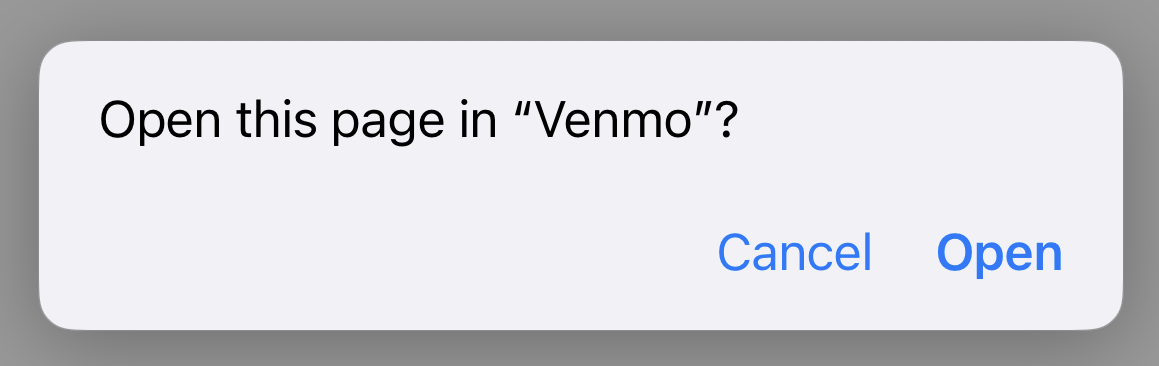
Depending upon your device, you may get asked if you want to open the link in the Venmo app:
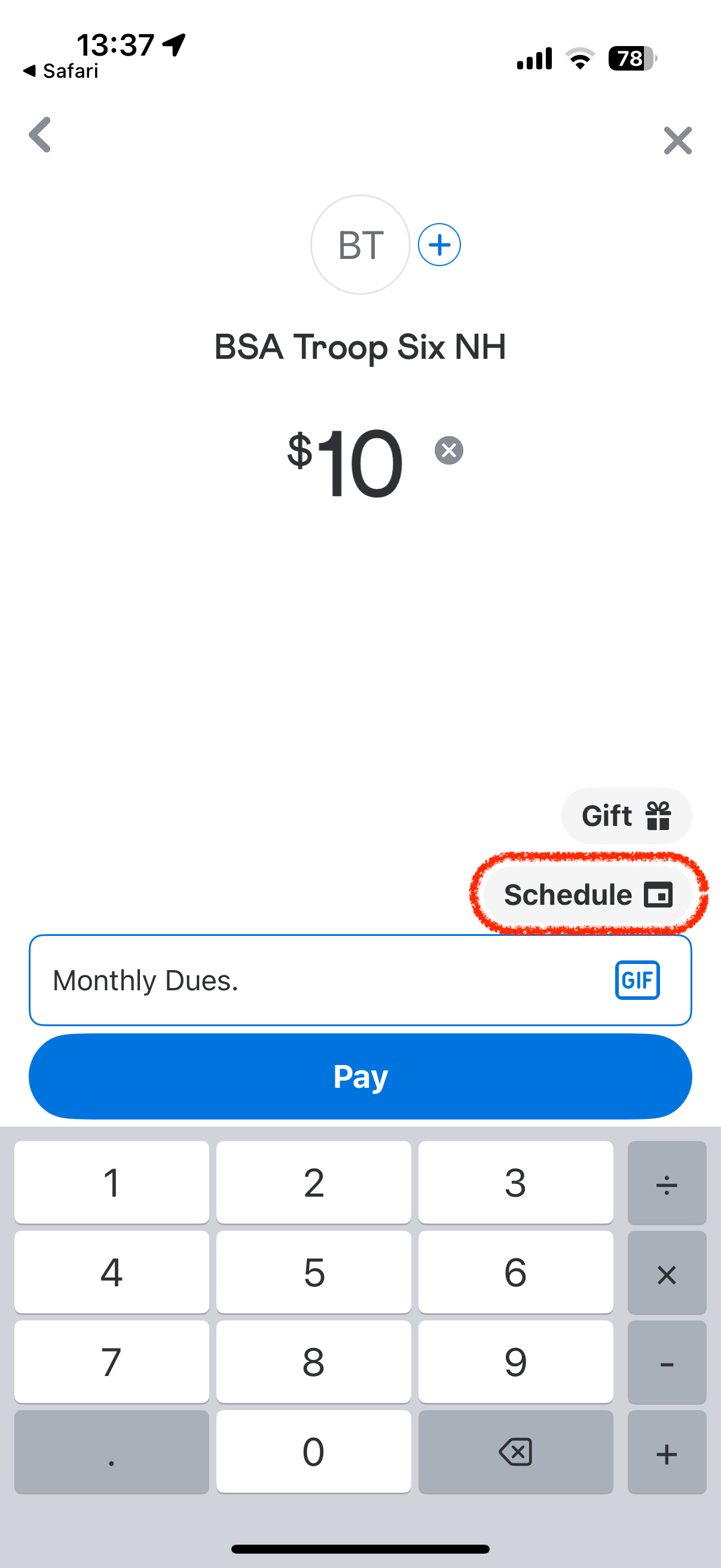
To use the app to set up scheduled payments, click the "Schedule" button:
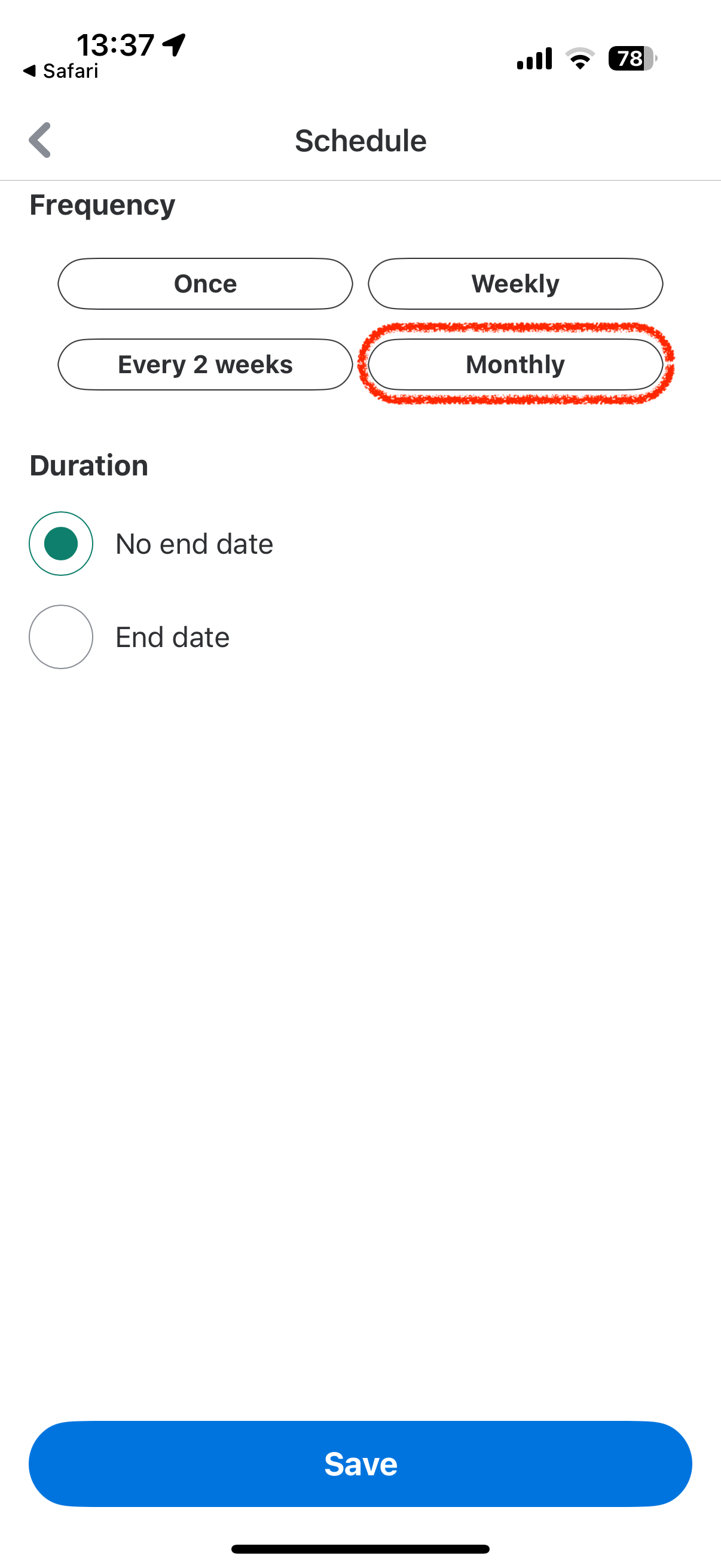
Then choose "monthly" on this page:
Click the "Save" button and pick the day of the month for your payment:
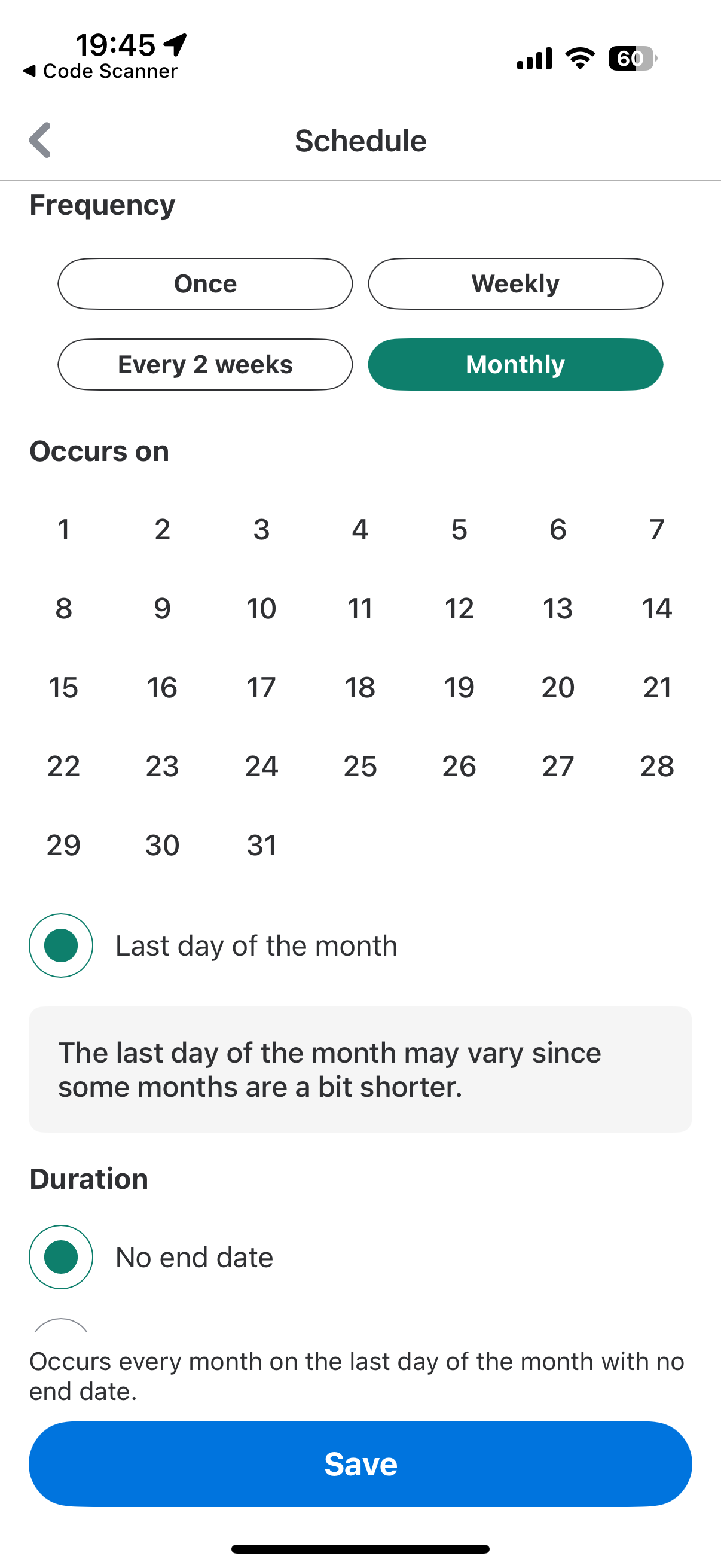
Click the "Save" button again and you're done!
Credit Card Option
Use the QR code or link below to navigate to our Square site (checkout.square.site).
 Credit Card Option
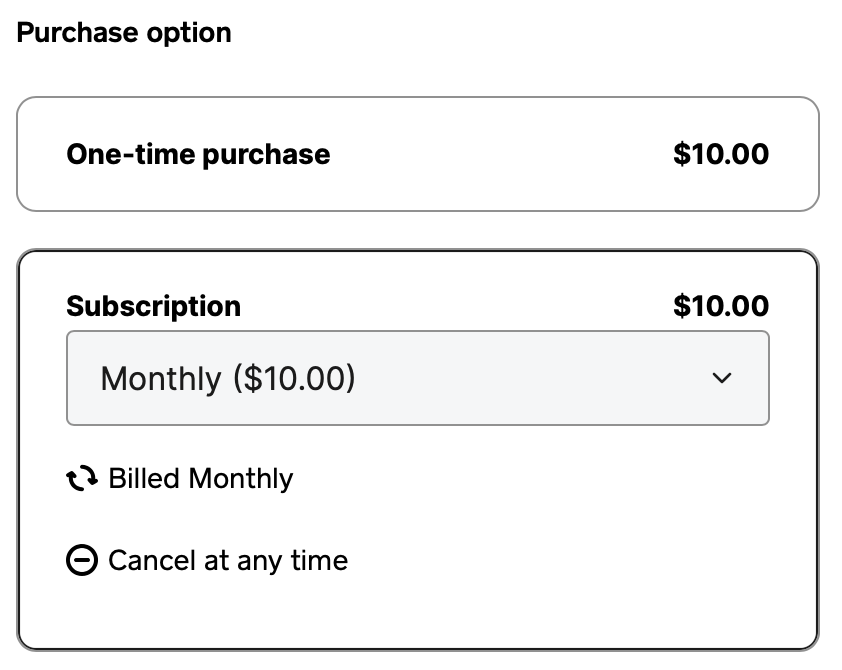
PLEASE be sure to click in the subscription box. This will ensure that your payment is automatically sent monthly. You can tell if you are set up for a subscription as follows:
- On the first page: The box around the "Subscription" option should be bolder than the box around the "One Time Purchase" option. If not, click inside the subscription box.
- On the second page: The "Pay" box should include a frequency, for example: "monthly".
- If the box does not show a frequency, use your browser's refresh button to return to the first page and click inside the subscription box as described above.

Click the "Pay $10.00 monthly" button and you're done!
Personal Check Option
Make a check payable to "BSA Troop 6 NH" and mail to the troop treasurer each month. Contact treasurer@nhtroop6.org for the mailing address.
Thank You!
Thank you for your support of Troop 6! Our goal is always to provide the best program for your scout at the lowest possible cost.